Keyboard and Clipboard
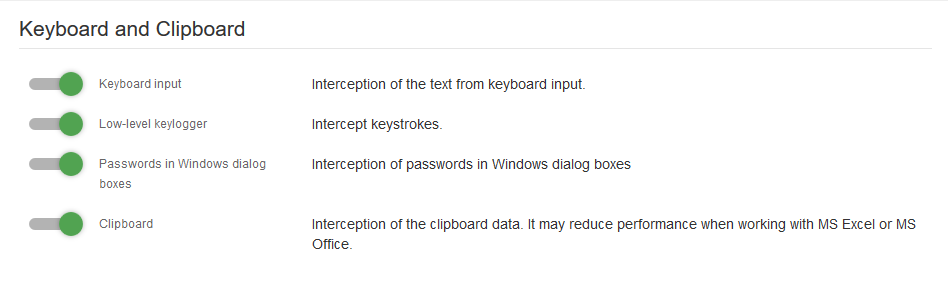
Keyboard input — module for keyboard input interception (keylogger)
Note
On macOS, the module operates as a low-level keylogger and intercepts keystrokes even when the Secure Input system feature is enabled.
Command input control — intercepts Command Input Terminal events when executing commands in cmd.exe and PowerShell.exe.
Low-Level keylogger — intercepts all keystrokes: function keys, service keys, hotkeys, and cursor keys. Bypasses Protected Desktop in Windows and security mechanisms in Linux. Allows you to intercept Windows passwords.
Passwords in Windows dialog boxes — a module for intercepting passwords.
Note
To receive events, enable the Keyboard Input module.
Clipboard — a module for intercepting text from the clipboard. To enable the module to intercept screenshots created using the Print Screen key, enable the Shadow Copy option in the Files module.
Note
In rare cases, this module may conflict with MS Office applications. If users experience slowdowns when working in MS Office, try disabling this module.
Clipboard blocking — prevents copying text and images between different applications via the clipboard.
Note
This module takes the process identifier (PID) into account: if multiple windows belong to the same process (for example, multiple browser tabs), the user can freely copy data within these windows.
Deny DragAndDrop — blocks moving text and files via drag and drop.
Terminal (TTY) interception — module for intercepting command input and output from the Linux and macOS terminal during local and remote sessions.
macOS agent
Commands can be monitored only in new windows in the macOS-agent terminal. If a terminal was open before updating the module, commands in that window will not be intercepted. The TTY Terminal event will only be sent when the user opens a new window.
Time to cut tty video, in secs: — duration of the recorded video.

Rules: Keylogger- Application
Disallow — Excludes the specified applications from keylogger tracking. Interception remains active for other applications.
Allow — Limits keylogger interception to only the specified applications. Tracking is disabled for all other applications.
Last Updated: 07.07.26