Command Line Capture
Starting from version 5.5, Staffcop Enterprise intercepts command line actions, allowing you to monitor commands and scripts executed by other users, during unauthorized privilege escalation.
Note
macOS command line capture is available starting from version 5.7.
Enabling Capture
By default, command line capture is disabled. To enable it:
Go to Control Panel → Computer configurations → Your Configuration → Keyboard and Clipboard.
Enable the Command input control option.
Save all changes.
Viewing Events
Once capture is enabled, the agent creates a Command Input Terminal event when:
a command is executed
a script is run from the command line
To view events:
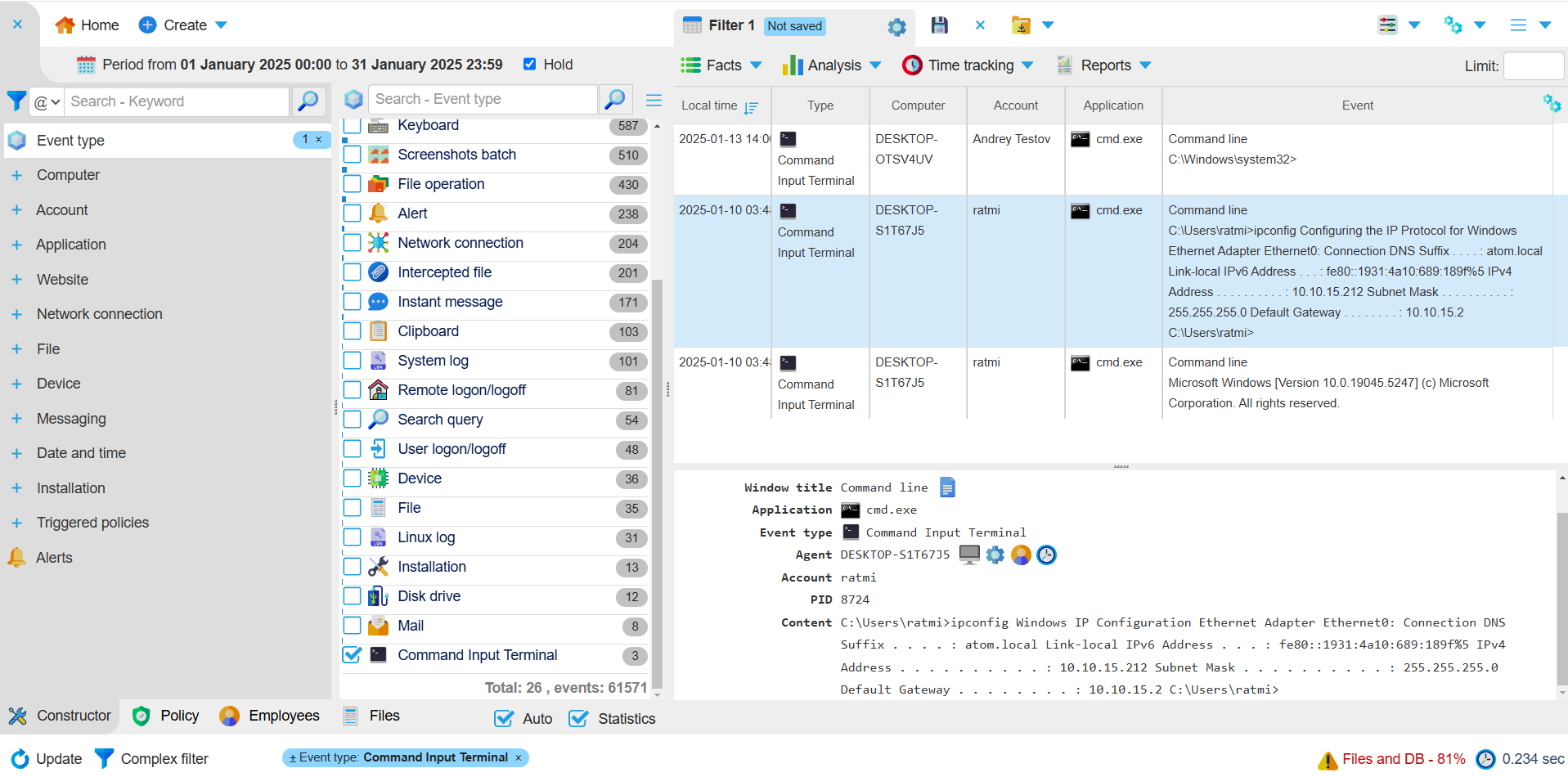
In the Constructor tab, select Event Type → Command Input Terminal.
Optionally, you can filter events by selecting an agent, user, or application.
Events will be displayed in the Lens on the right side of the screen.
Events contain the following information:
command
command output
computer name
user
application
local time
The command will be displayed in the Event column:
Intercepting a Command on Behalf of Another User
A user can run commands on behalf of another user using the following tools:
PsExec — a Sysinternals utility for remotely executing commands with the rights of a different user
runas — a built-in Windows command for running programs using the rights of another user
The agent can intercept these commands and generate an event. The event will include the name of the user who initiated the command.
For PsExec, the event will display psexec.exe, and for runas, it will display runas.
Last Updated: 02.02.26